
Pair once.Send anything.
Files, photos, text and links between your phone and computer. No app, no sign-up.
- Encrypted
- No server copy
- Free
Getting this browser ready…
- Pair
Scan the QR code, or type the six digits.
- Check
Both screens show the same safety code.
- Send
The other side accepts, then saves.
More than files.
Built in and free. Once connected, tap + next to the message box.
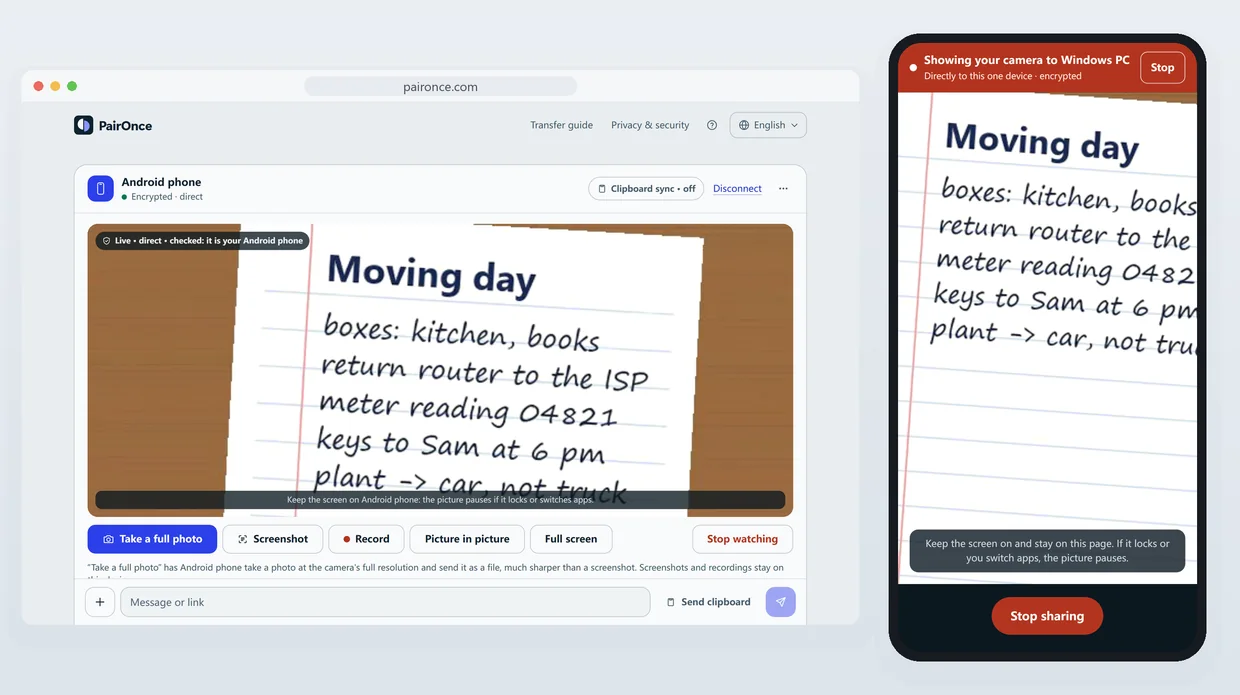
Live picture
Show your camera or screen on the other device, and take a full-resolution photo from there.
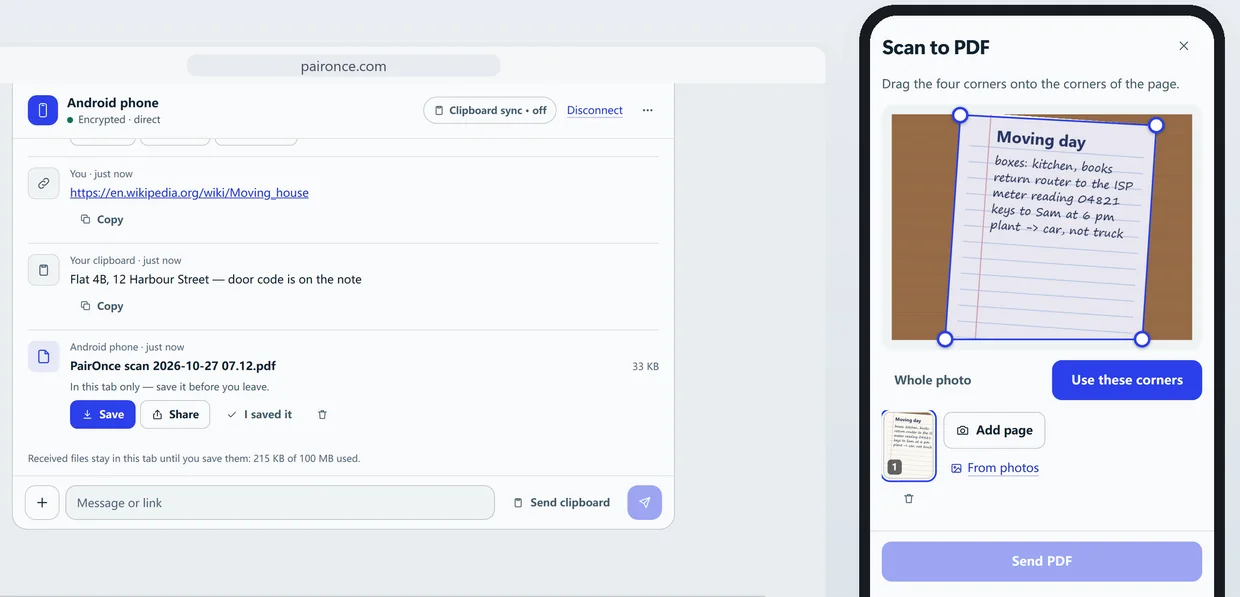
Scan to PDF
Photograph pages; the edges are straightened and the PDF is made on your phone. On the computer, one tap makes its text searchable.
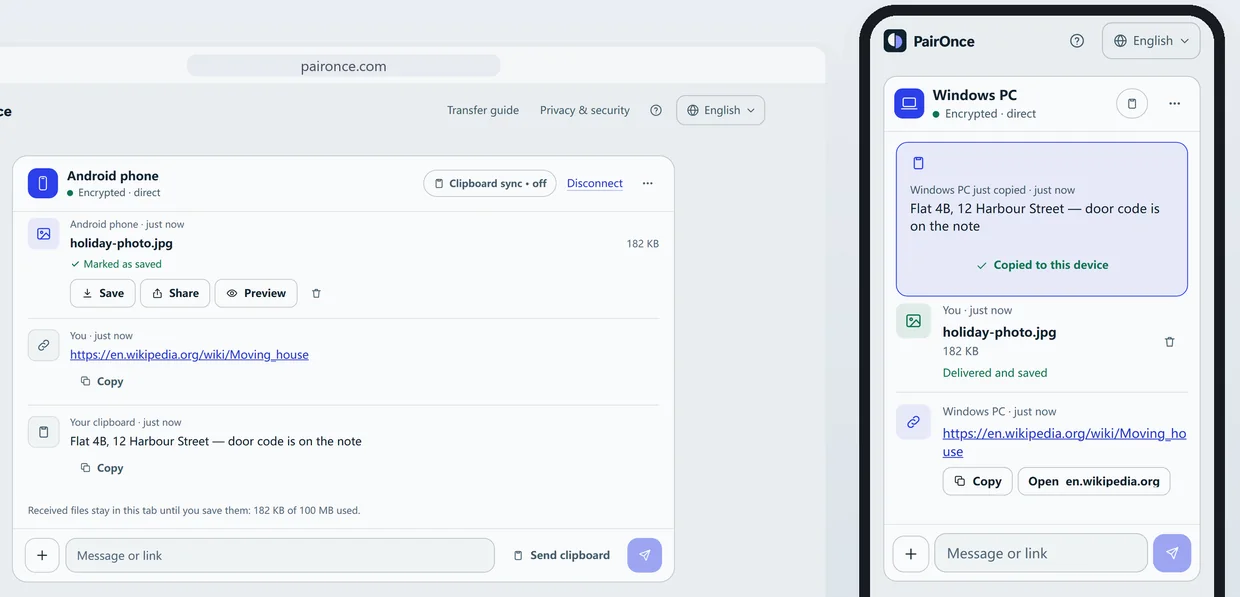
Clipboard
Copy on one device, paste on the other with one tap.
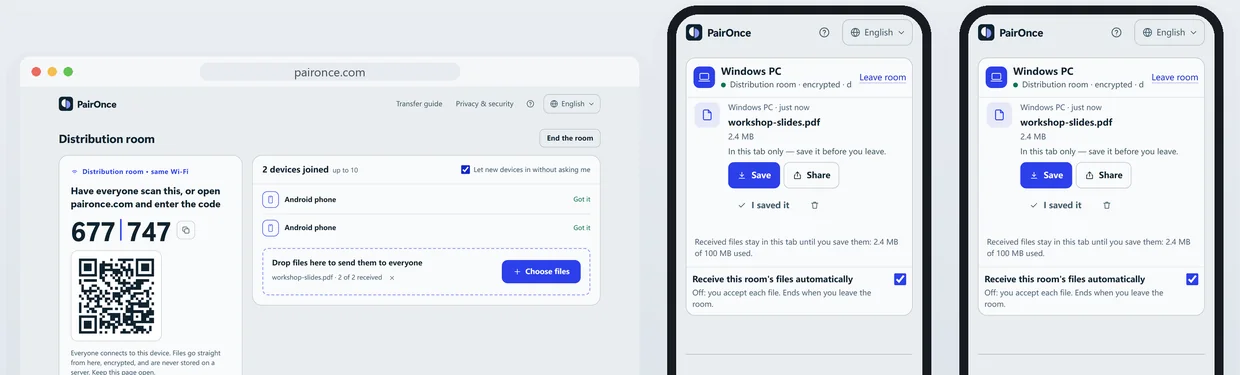
Distribution room
Send the same files to everyone on one Wi-Fi. Each device joins with a scan.
Your files stay between your devices
- Direct and end-to-end encrypted, with a fresh key for every connection.
- If the network blocks that, a relay passes on the encrypted data and keeps nothing.
- No account, no cloud copy. We can’t see your files or messages.
Questions people ask
Is PairOnce safe to use?
Yes. Files are encrypted between your browsers and go directly between them, or through a relay that only passes on encrypted data, so no copy is stored on a PairOnce server. Compare the safety code when you pair to be sure nobody is in between. PairOnce keeps no copy, so keep the original until the other device has saved the file.
Does PairOnce store my files?
No. There is no cloud storage. Files go to your other device, directly or through a relay that keeps nothing, and wait in its page until you save them.
Do I need an account or an app?
No. PairOnce runs in the browser on both devices. There is nothing to install and no sign-up.
How big can a file be?
Up to 2 GB per file in current browsers, or 10 GB with PairOnce Pro on one of the two devices. Older browsers, such as Safari before iOS 26, take up to 50 MB per file. Once two devices are connected, PairOnce shows the exact limit for that pair.
What if the connection drops during a big file?
PairOnce picks up where it stopped. When the same two devices reconnect within 30 minutes, a file over 16 MB continues from the last part received instead of starting over, as long as both pages stay open. This works in Chrome and Edge on computers and Android, Firefox on computers and Safari on iOS 26 or later; older browsers simply receive the file again.
Do my devices need to be on the same Wi-Fi?
No. PairOnce connects devices across networks: directly whenever it can, and through an encrypted relay when a network blocks direct connections, with 200 MB a month per device (5 GB with Pro). On the same Wi-Fi it is fastest, with no limit, and the other device appears on its own. If two devices do not connect, a VPN or a strict office network is usually the cause; the same Wi-Fi or turning the VPN off solves it.
Which browsers work?
All current browsers: Chrome, Edge, Firefox and Safari, on Windows, Mac, Linux, Android, iPhone and iPad.
Is it free?
Yes. Sending files and every tool described here is free, with no sign-up. An optional PairOnce Pro plan, $3.99 a month or $29.99 a year, adds more relay data, files up to 10 GB and higher limits in the tools.